
From February 2024 Google and Yahoo, began implementing changes to their email/webmail platforms which could seriously affect your emails to users of these platforms, especially your email subscriber lists, as Gmail and Yahoo/AOL addresses currently make up an average of 75% of email address lists. To avoid having your emails ending up in their spam or blocked entirely and to maintain your campaign health and email “trustworthiness”/ reputation, read below on what it means and what you *must* do to avoid the impact to your list.
Detailed below you will find free and easy-to-use tools to check and help correct any configurations to be compliant with the changes. If you use an ESP (Email Service Provider) such as Aweber, Infusionsoft (now Keap), GetResponse etc then many of these issues are handled for you, however, it’s a good idea to understand the changes also.
1. Authenticating Emails – Google/Yahoo now requires those who send significant volumes to strongly authenticate their emails following well-established best practices and SPF, DKIM, and DMARC will be required.
2. Enable Easy Unsubscription – Large senders will now need to give Gmail recipients the ability to unsubscribe from commercial email in one click, and ensure they process unsubscription requests within two days, which is already a GDPR requirement with data protection laws requiring easy unsubscription processes including a “one-click unsubscribe” link in all emails.
3. Ensure all Emails to Recipients are Desired – A clear spam rate threshold will be in place to ensure senders don’t bombard Gmail recipients with unwanted messages. Google aims to enforce a clear spam rate threshold ideally keeping spam rates below 0.10% and avoiding the critical rate of 0.30% or higher.
Whilst anti-spam methods have been in place for many years, Google and Yahoo have agreed on these new approaches to set the bar on what was previously known as ‘best practice’ to become the standard in the email industry with other email providers such as Microsoft/Hotmail expected to follow suit.
The benefit to this is that by setting up these authentication methods correctly – something that genuine spammers will not be able to do, this will drastically improve the quality of inboxes and reduce spam and the overall email experience for many users.
“In the interconnected world of email, that takes all of us working together. Yahoo looks forward to working with Google and the rest of the email community to make these common sense, high-impact changes to the new industry standard.” – Marcel Becker, Sr. Dir. Product at Yahoo
“These changes are like a tune-up for the email world, and by fixing a few things under the hood, we can keep email running smoothly. But just like a tune-up, this is not a one-time exercise. Keeping email more secure, user friendly and spam-free requires constant collaboration and vigilance from the entire email community. And we’ll keep working together to make sure your inbox stays safe.” – Neil Kumaran, Group Product Manager, Gmail Security & Trust
Platforms have begun a phased introduction of the new changes with this set to increase from 1st June 2024, so if you haven’t implemented these changes yet, now is the time to do so.
Making these changes is very important as emails sent after February could end up in users spam/junk folders or not at all as even marketing email platforms won’t allow emails to be sent to protect their own reputation and “marketers could see their open rates plummet from 50-60% to as low as 10%”, says, Adrian Savage, co-founder of EmailSmart
Also, by not following these new practices, marketers are potentially ignoring legal requirements such as GDPR (General Data Protection Regulation) or CAN-SPAM (Controlling the Assault of Non-Solicited Pornography and Marketing) which can lead to hefty fines and legal repercussions.
Checking your current set-up
To make updates to your email authentication settings, changes will need to be made from the email marketing platforms you use, otherwise, if you host your own email server you will need to go to your DNS settings. Please refer to the guidance for the tool you are using.
In the domain admin control panel you can locate the settings for making changes to your DNS records; if SPF or DKIM is already there then chances are this is already working correctly, otherwise, you will need to set this up by using a TXT record and add the record to your DNS settings (however, this is usually managed by your domain registrar or your hosting company: enter into their portal and look for “DNS Management” or something similar to access your DNS records).
The following is a step-by-step guide to help you assess and correct (if needed) your current email authentication setup (please note that this is a generic guide and cannot cover specifics):
If you would like some expert help with this, please contact us for assistance.
Step 1:
Set up your email and DNS settings. This will depend on the email and DNS provider you use or on the specific servers if you are hosting it yourselves:
Setup DKIM and SPF – look here and here for detailed instructions on how to set this up in Gmail
Setup DMARC – these are the DMARC settings for Gmail. Start with a more relaxed setting to make sure that things are properly set up and that your emails are not blocked. Google has provided a great explanation here.
Yahoo has also published guidance here.
Step 2:
You may want to check your settings using DNS Watch
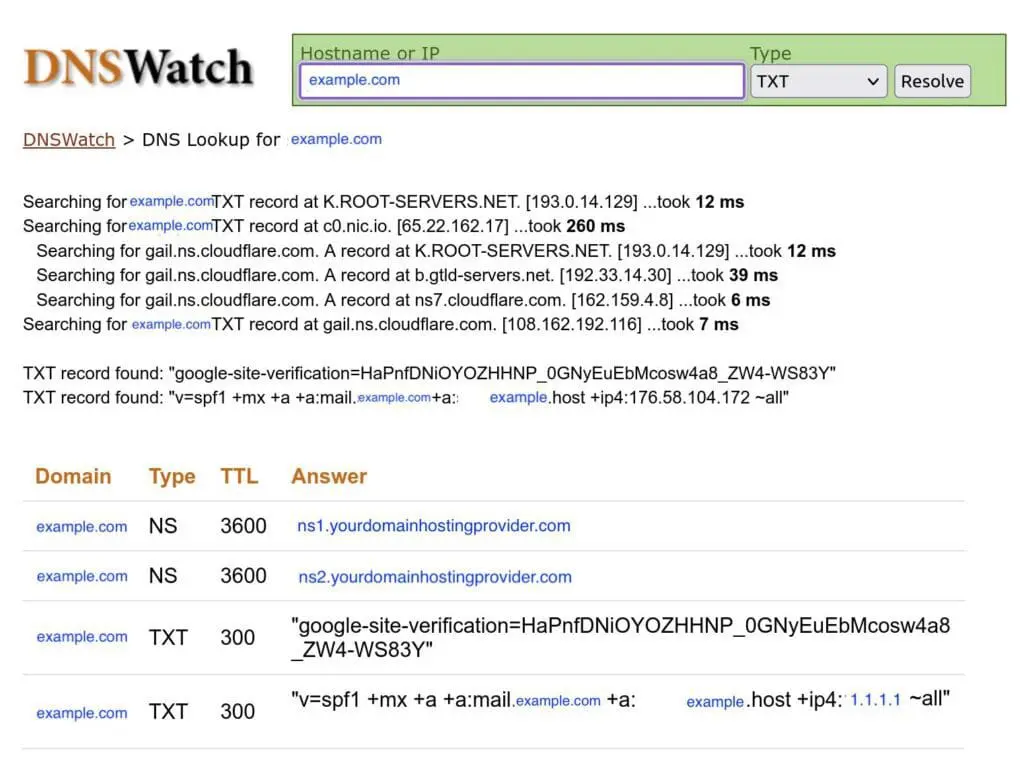
The important record is the TXT record which will provide information about the settings that you set up in Step 1.
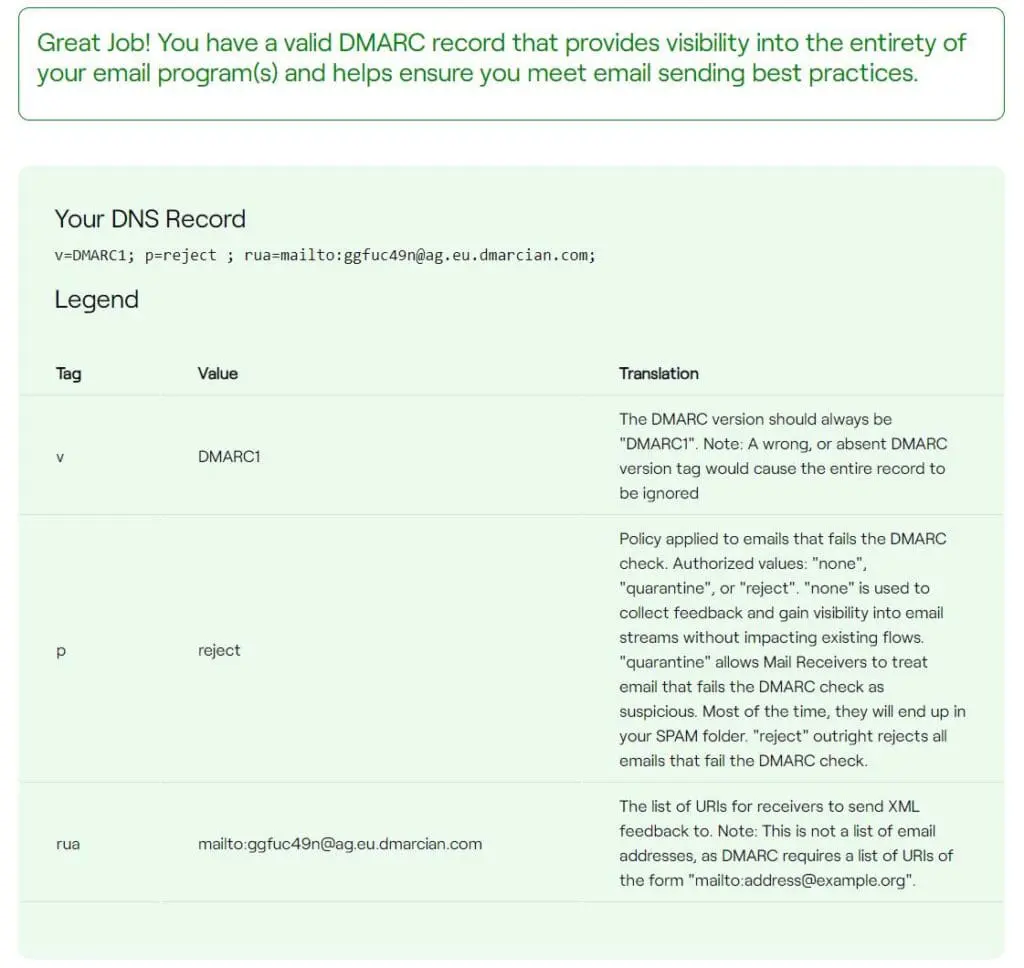
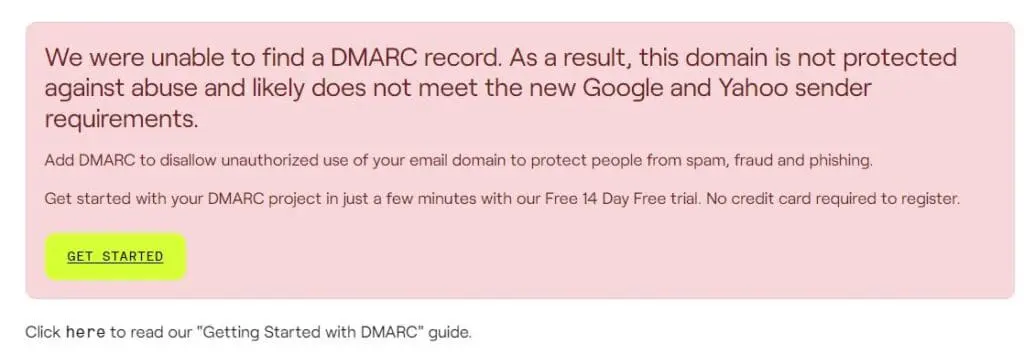
Another great tool is DMarcian which provides an easy-to-understand page relating to your settings (see below for examples of a successful and a failed setup):
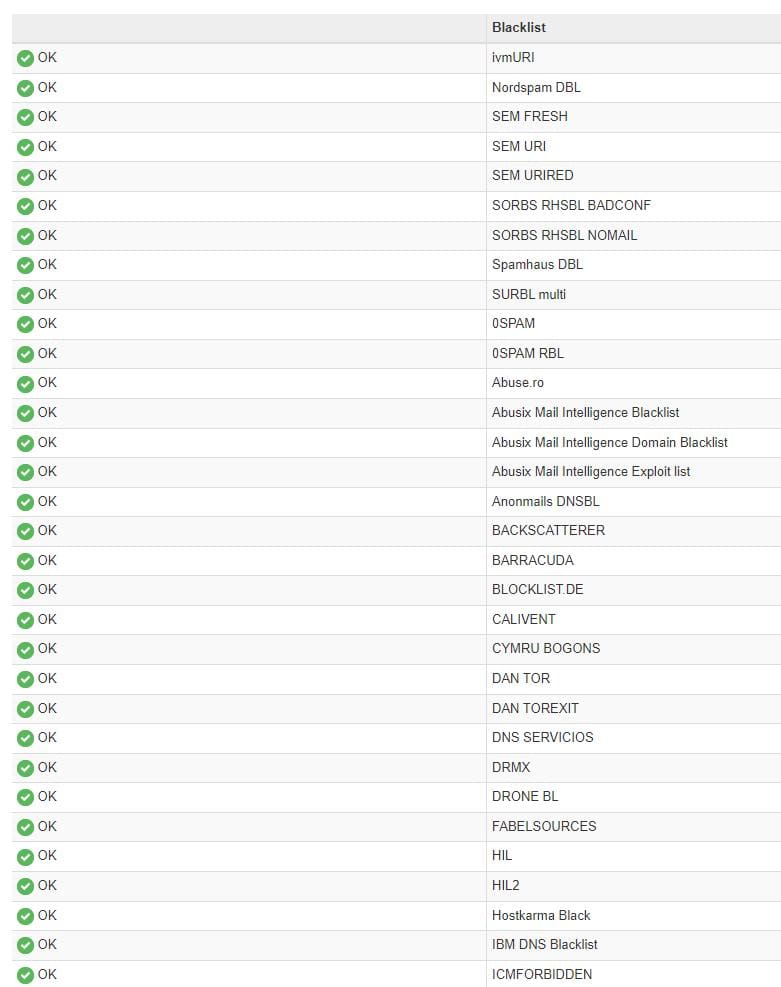
You can also head to MXToolbox to get another view of your settings and to make sure that your domain is not blacklisted:
Step 3:
Next, go to Mail Tester to see in action if your settings are working properly.
Mail Tester is a straightforward and completely free email evaluation tool to ensure your emails are spam-free.
Using a traffic light system, the tool will indicate what is correct and what may need attention, you will then receive a detailed report on areas for improvement – be it authentication issues or content that could trigger spam filters.
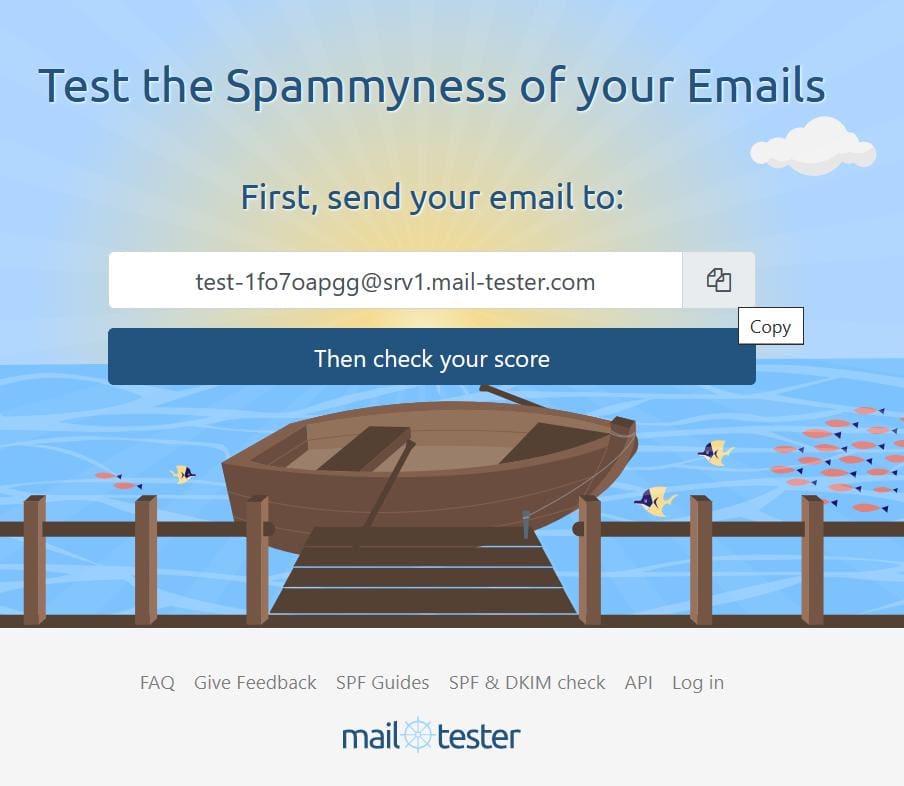
Go to Mail Tester and copy the unique test email address – then go to your email provider and send one of your newsletters to this address:
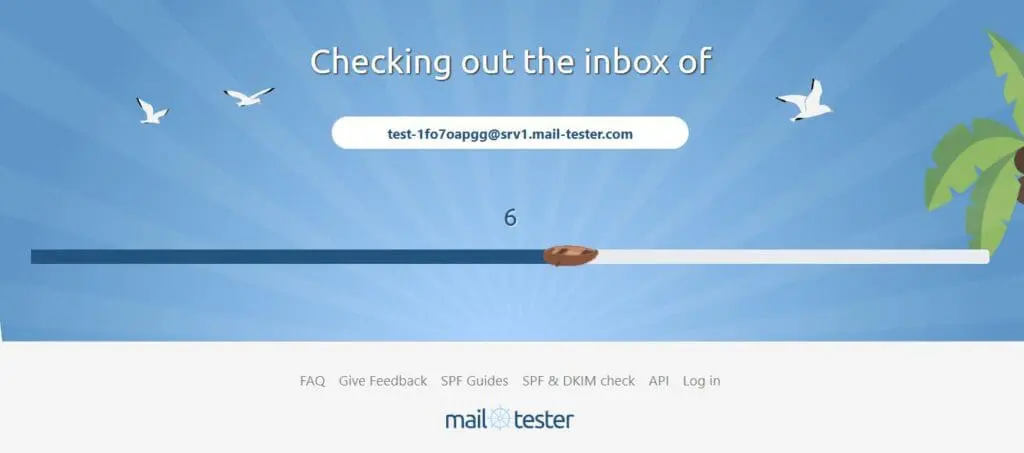
b) Mail Tester will evaluate your email and check your score:
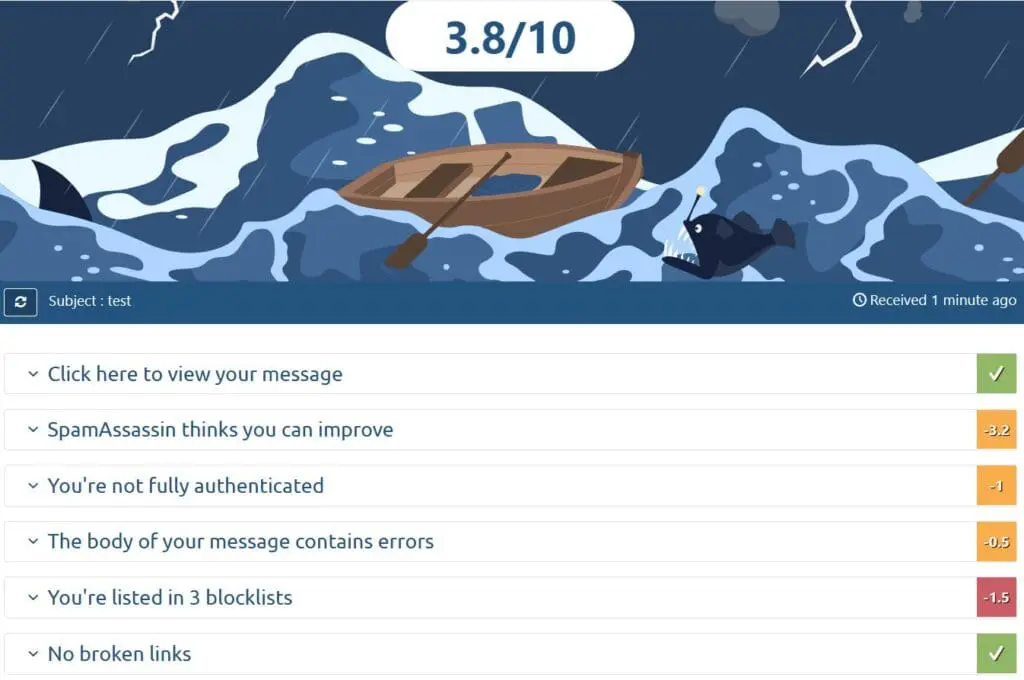
c) Mail Tester will then provide a comprehensive report on its ‘spammyness’ based on a traffic light system.
(The first example is of an email that will need some further configuration and the next example is the ideal scenario where no changes are needed)
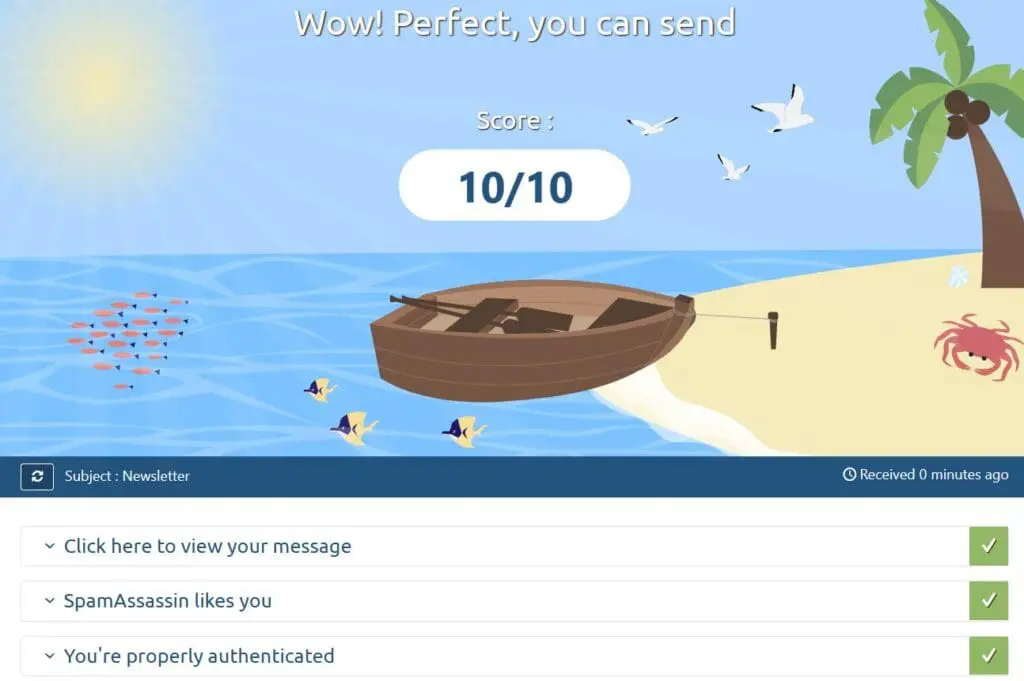
Results:
Green means all good to go with no need for action, while amber and red will signal issues that require attention. Mail Tester will then be able to provide actionable advice on how to address them.
Conclusion
The new email authentication process may seem like a daunting project, however through implementing these new changes you will not only ensure the deliverability of your emails, but will also be contributing to a safer, more reliable email ecosystem for everyone in the long run. The good thing is these changes will only need to take place once and if you would like some expert help with this, feel free to reach out to us for assistance and we will be happy to support you.